The Ultimate Guide to Chunking Methods for RAG
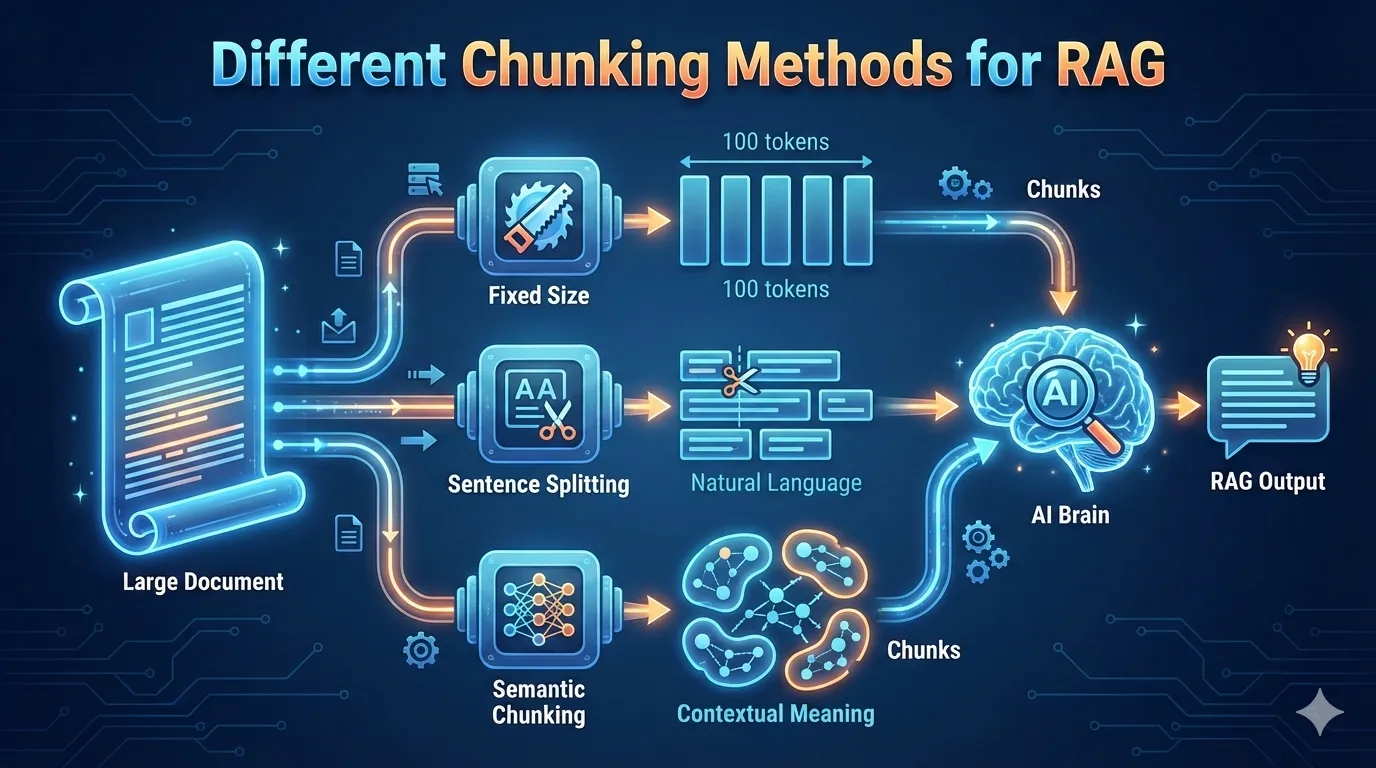
generated by nano 🍌
What is Chunking?
To stay within a Large Language Model’s (LLM) token limit, we employ chunking—a preprocessing technique that breaks down continuous text into discrete blocks. This allows the model to process information efficiently without exceeding its memory constraints.
What is RAG?
LLMs often suffer from hallucinations, generating false information with unearned confidence. This lack of factual “grounding” makes them unreliable for many high-stakes tasks.
To solve this, RAG (Retrieval-Augmented Generation) was introduced to provide LLMs with a “source of truth” to consult before answering.
To make RAG work, we first turn our documents into “digital fingerprints” called vector embeddings. We use specialized AI models (bi-encoders) to translate human text into these numbers, which are then stored in a vector database.
Think of it like a high-tech library: the quality of the search depends entirely on how we’ve filed the information. If our “chunks” of text are too big or too small, the AI won’t find the right answer. That’s why choosing a smart chunking strategy is just as important as the search method itself for getting accurate results.
Different Chunking Methods
1. Fixed-Size Chunking
This is the most straightforward “brute force” approach where you decide on a set number of characters or tokens (e.g., 500 characters) and split the text exactly at those intervals.
While it is incredibly fast and computationally cheap, it is “blind” to the content. It often cuts sentences in half or separates a heading from its relevant paragraph, which can lead to a loss of context during retrieval. This is the “old reliable” method—it just counts characters and cuts.
from langchain.text_splitter import CharacterTextSplitter

text = "Your long document text here..."
splitter = CharacterTextSplitter(
    separator="",
    chunk_size=500,
    chunk_overlap=50  # Overlap helps keep context between chunks
)
chunks = splitter.split_text(text)
2. Recursive Chunking
Considered the “industry standard” for many applications, this method attempts to be more polite to the structure of the text. It uses a hierarchy of separators—starting with double newlines, then single newlines, then spaces—to break the text.
If a paragraph is too big, it looks for the next best place to split it, aiming to keep related sentences together in a single block as much as possible. This is the recommended default.
from langchain.text_splitter import RecursiveCharacterTextSplitter

splitter = RecursiveCharacterTextSplitter(
    chunk_size=500,
    chunk_overlap=50,
    separators=["\n\n", "\n", " ", ""]
)
chunks = splitter.create_documents([text])
3. Document-Specific Chunking
This method acknowledges that a Python script, an HTML page, and a Markdown file are structured differently. Instead of treating everything like a plain wall of text, it uses the document’s inherent formatting (like <div> tags, # headers, or function definitions) to determine the boundaries.
This ensures that a single function or a specific sub-section of a manual stays intact as a coherent unit. This is best for structured data like Markdown, HTML, or Code.
from langchain.text_splitter import MarkdownHeaderTextSplitter

headers_to_split_on = [
    ("#", "Header 1"),
    ("##", "Header 2"),
]

splitter = MarkdownHeaderTextSplitter(headers_to_split_on=headers_to_split_on)
chunks = splitter.split_text(markdown_text)
4. Semantic Chunking
Rather than looking at characters or formatting, this method looks at meaning. It analyzes the “distance” in ideas between sentences; as long as the sentences are talking about the same topic, they stay in the same chunk.
When the model detects a significant shift in the subject matter, it creates a break. This results in chunks that vary in size but are incredibly consistent in their topical focus. This requires an embedding model to “read” the sentences and decide if they belong together.
from langchain_experimental.text_splitter import SemanticChunker
from langchain_openai.embeddings import OpenAIEmbeddings

# It groups sentences by how similar they are in meaning
splitter = SemanticChunker(OpenAIEmbeddings())
chunks = splitter.create_documents([text])
5. Agentic Chunking
This is the most advanced and “human-like” strategy, where an LLM acts as an autonomous agent to decide where the breaks should go. The agent reads the document and asks, “Does this part stand alone as a complete thought?” It essentially “edits” the document into logical pieces based on high-level reasoning.
While this is the most accurate and context-aware method, it is also the slowest and most expensive because it requires multiple AI calls just to prepare the data. This is usually a custom “loop” where you ask an LLM to look at a chunk and decide if it’s “complete” or needs more text.
# Conceptual Pseudo-code (usually implemented via LangGraph or custom loops)
def agentic_split(text):
    # 1. Start with a small piece of text
    # 2. Ask LLM: "Is this a complete thought?"
    # 3. If NO: Add next sentence and repeat.
    # 4. If YES: Create chunk and move to the next part.
    pass
Which One Should You Use?
| Method | Best For… | Difficulty | Cost |
|---|---|---|---|
| Fixed | Quick prototypes | Very Easy | $0 |
| Recursive | General text / Articles | Easy | $0 |
| Document | Code / Formatted docs | Medium | $0 |
| Semantic | Deep research / RAG | Hard | Low (Embedding API calls) |
| Agentic | High-precision needs | Very Hard | High (LLM API calls) |
What’s Next?
That’s the high-level view of how we break down data for LLMs! But knowing the definitions is only half the battle. In the coming weeks, I’ll be breaking down each of these strategies in detail—sharing the code, the common pitfalls, and the “Goldilocks” settings for your chunk sizes.
Follow along as we Deep Dive into Semantic Chunking For Rag in our next chapter.